Skip to content

AI agent-assisted bioinformatics analysis platform

Ask in plain language — the agent runs the analysis, checks it and returns figures, statistics and a report.

Why labs switch

Built for how a PI works

Deadlines are close; the figures are still in a student’s notebook.

With EuchroGeneEvery figure is registered with methods and statistics; the Writing agent drafts from them.

Lab data is spread over laptops and old drives.

With EuchroGeneEach study gets dated folders — design, data, analysis, figures, manuscript.

A student graduates; nobody can rerun the analysis.

With EuchroGeneScript, versions and parameters are saved beside each figure.

Too many papers, too little time.

With EuchroGeneThe lab library answers with page citations and quizzes you on a paper.

Records scatter; corrections vanish.

With EuchroGeneLabNote entries are signed, hash-locked and retracted only with a reason.

Progress updates arrive late, without numbers.

With EuchroGeneMembers report to the PI from what was actually recorded.

Analysis on autopilot

Say what you need. The agent does it — and shows its work.

It works in your lab’s Jupyter and registers every result with what you need to trust and rerun it.

  1. Request

    Ask in plain words.

  2. Plan

    Data, method, check and figure — shown first.

  3. Run

    Code runs in your Jupyter.

  4. Check & fix

    Failed check → fix → rerun.

  5. Result & record

    Figure with statistics, Methods and script.

Pipeline Dev. loop

Run, check, fix — stops on a repeated error or the attempt limit.

Every figure traceable

Statistics, Methods and a copy of the exact script (SHA-256).

Planned first

Analysis plan, n and power fixed at design; drift is flagged.

Bioinformatics built in

RNA-seq, variants, BLAST, alignments, CRISPR, primers, cloning.

Your compute

Lab Jupyter or your own GPU server; switches AI at a usage limit.

Into papers and slides

Results flow to the manuscript, tables, Word and PowerPoint.

You stay in control: plans first, deletions confirmed, numbers checked, every figure traceable.

The whole research cycle

Analyse, plan, write, present, read, record

Four agents per project — Design, Analysis, Writing, Papers — plus a LabNote. You decide every open question.

Analyse

Analyses the agent runs, checks and explains — and anyone can rerun

Ask for a step; the agent writes the code in your Jupyter, runs it, checks and fixes it, and explains the result.

  • NewPipeline Dev. loop: run, check, fix, rerun
  • Figures registered with Methods, statistics and their script
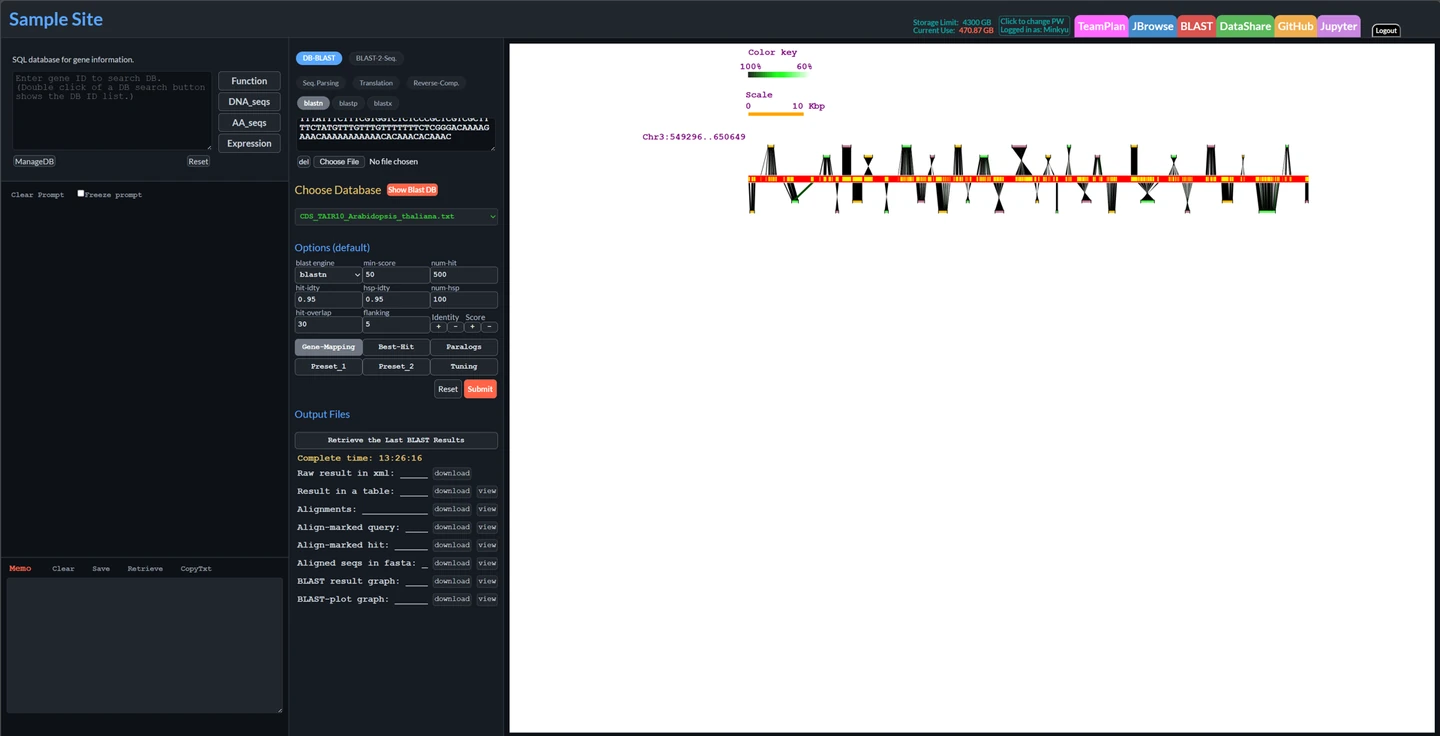
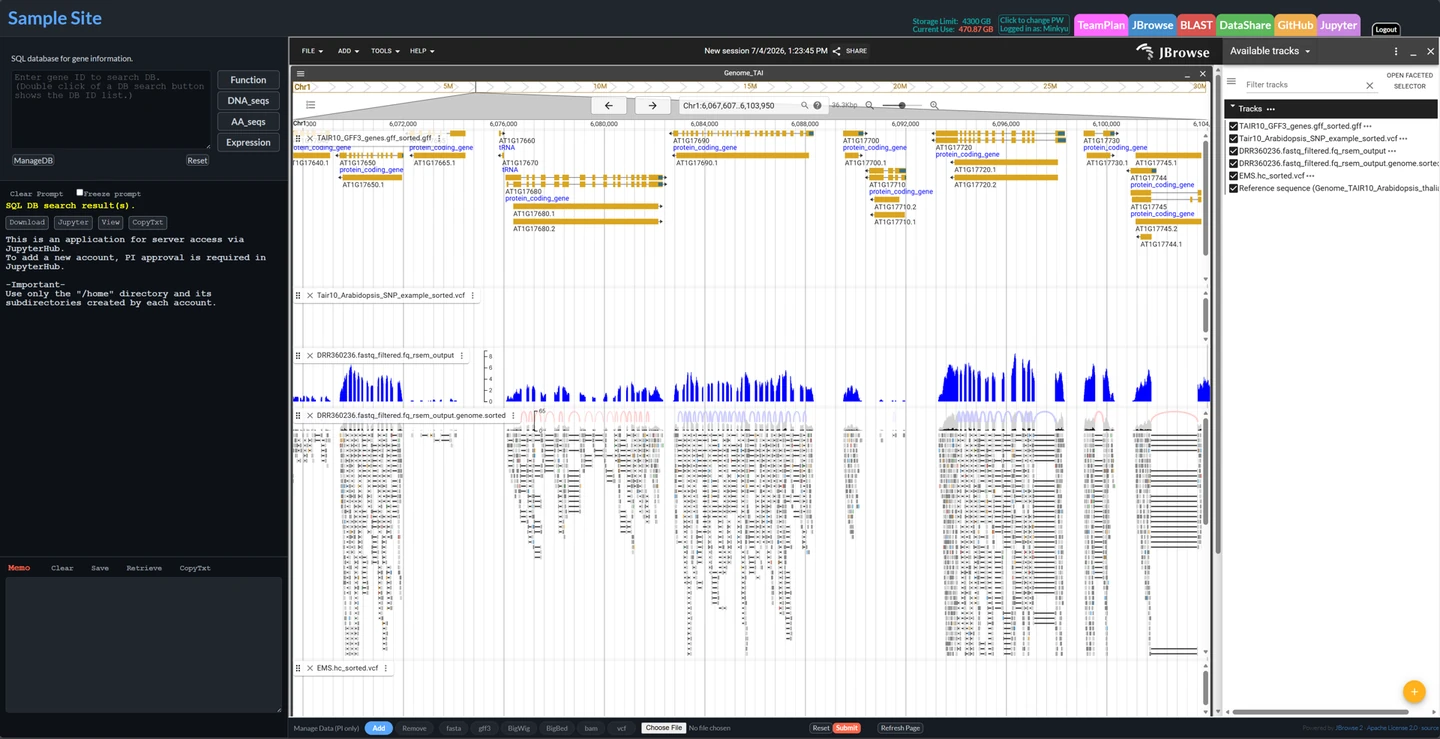
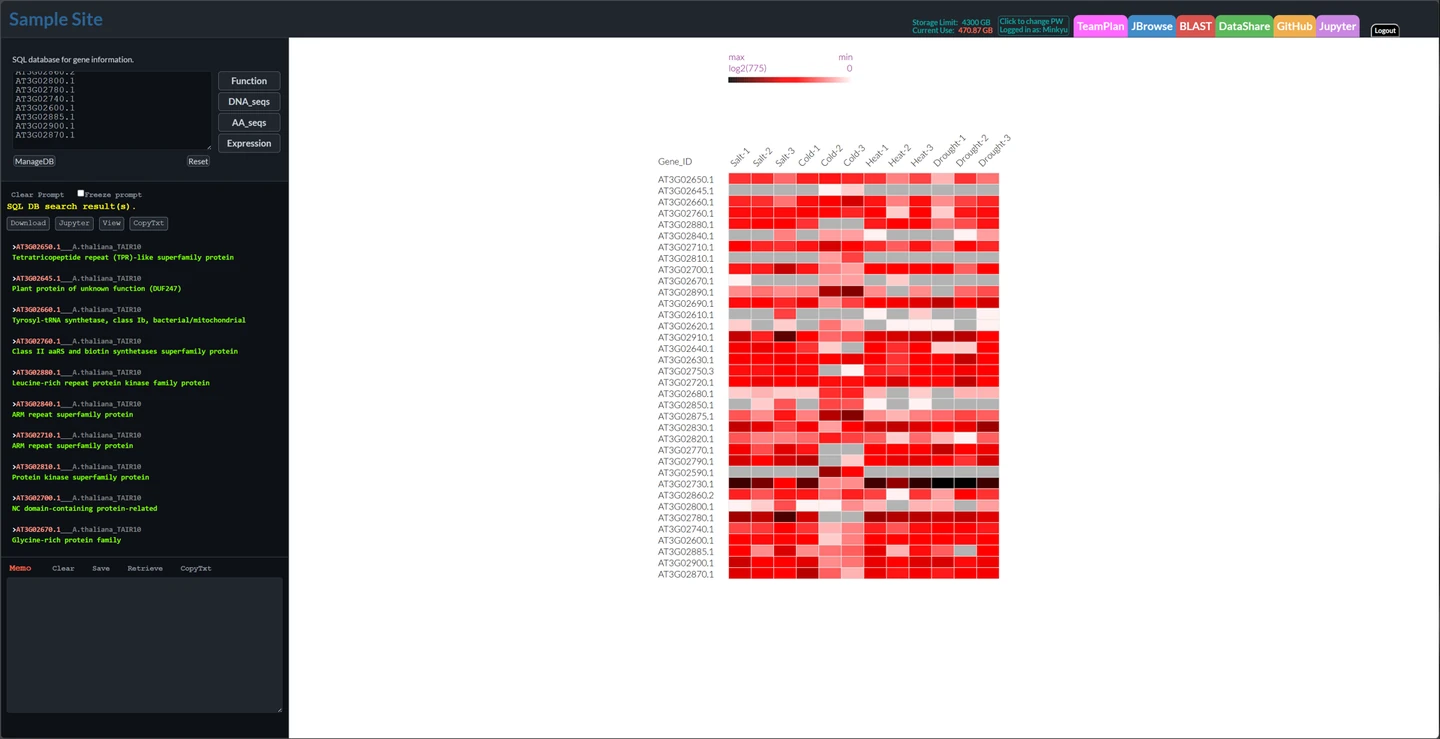
  • RNA-seq, variants, amplicons, metagenomes, assemblies; BLAST, CRISPR, primers, cloning, JBrowse2
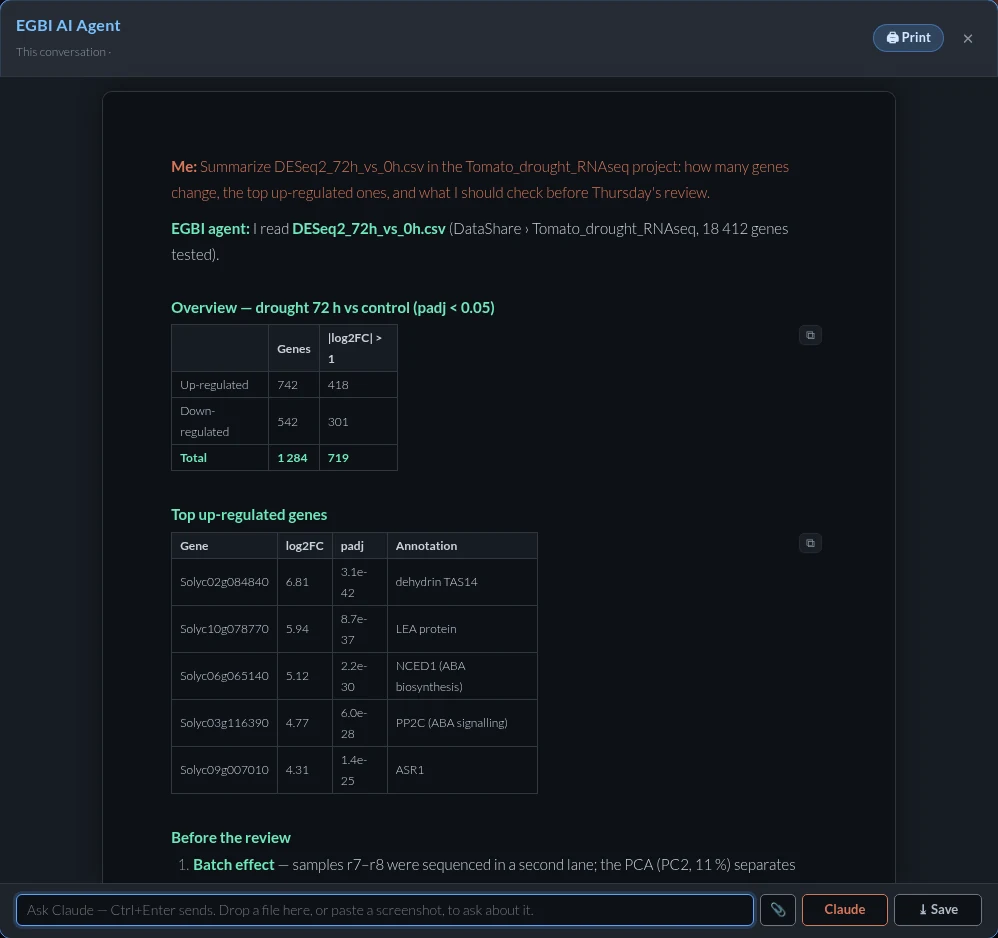
The AI agent summarising a differential-expression result from the lab’s own table: genes changed, the strongest inductions and what to check next
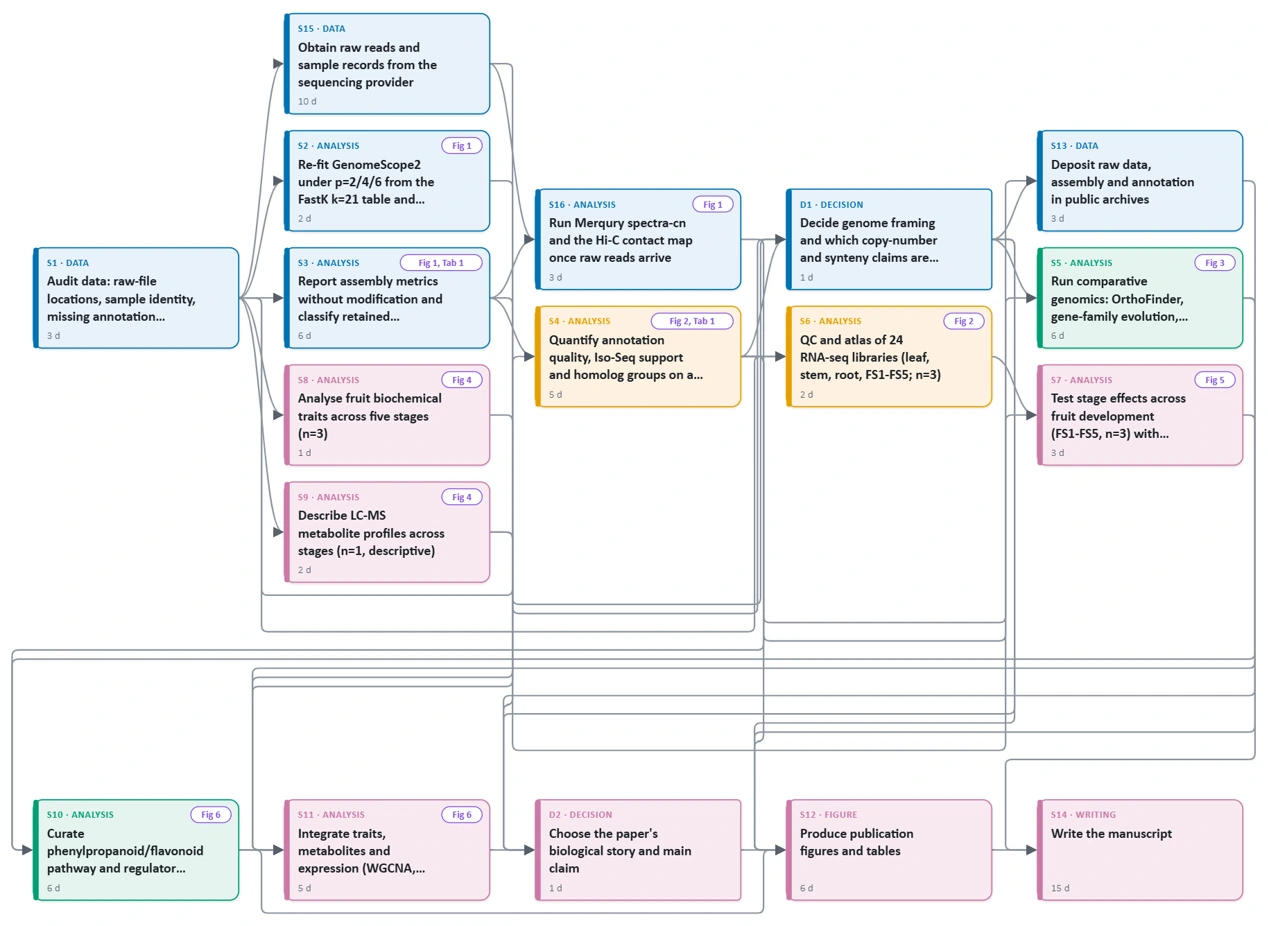
A research design drawn as a flowchart by the Design agent: experiments, data, a go / no-go decision, analysis and figures
Plan

A study design your whole team can follow

The Design agent plans from your data, references and notes — with controls and n sized by power.

  • Flowchart and timeline, versioned
  • Every step becomes an assigned task
  • Warnings for missing controls, n or analysis plan
Write

Drafts built on your results, not invented ones

Drafts from registered figures and verified references only, as tracked changes you accept.

  • References checked by DOI / PMID; unverifiable ones left as [REF]
  • Journal checks, review simulation, reviewer responses
  • Grants, progress reports and reports to the PI
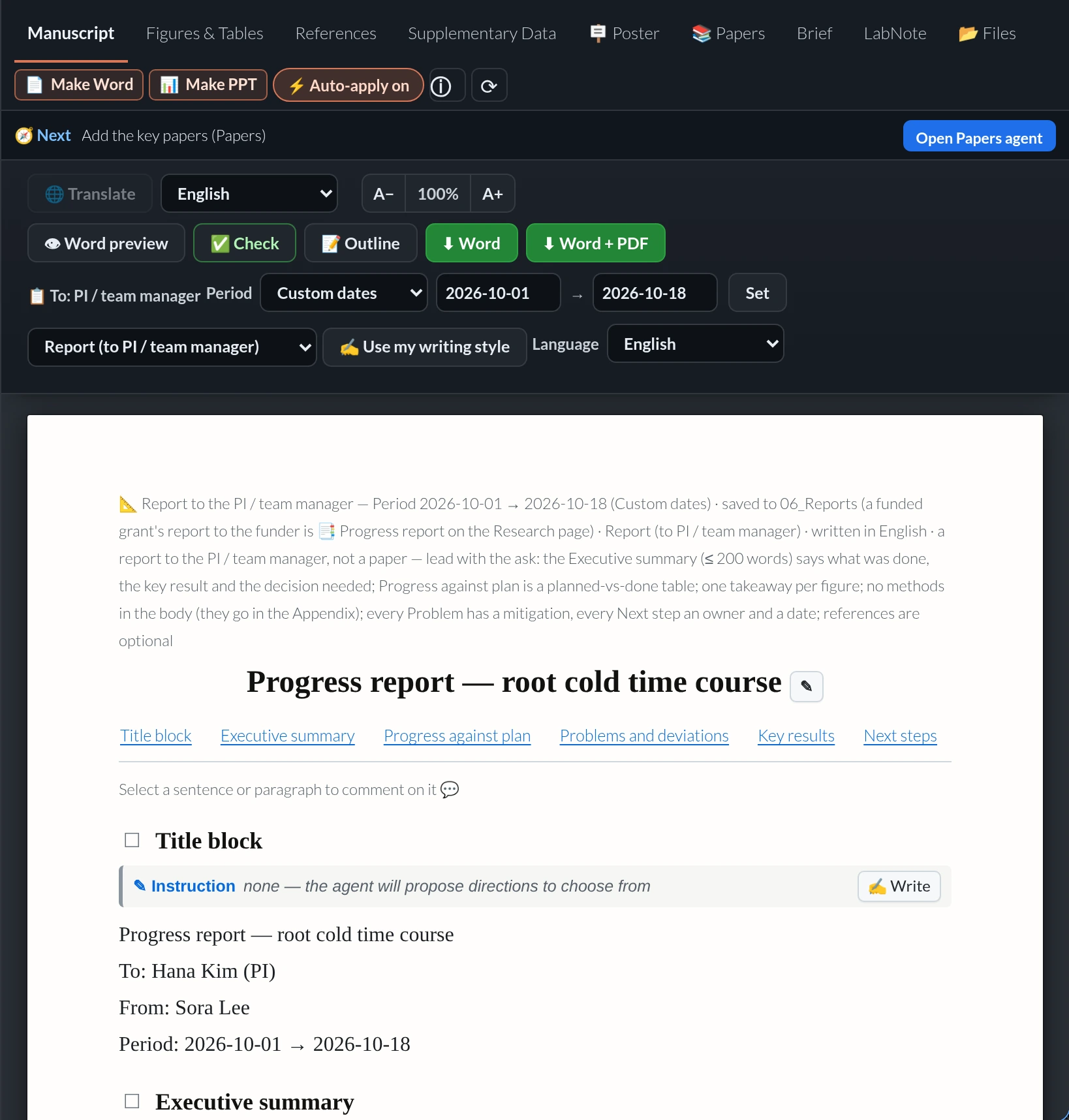
Writing panel of a report to the PI: period since last report, Word and Word + PDF export, report sections
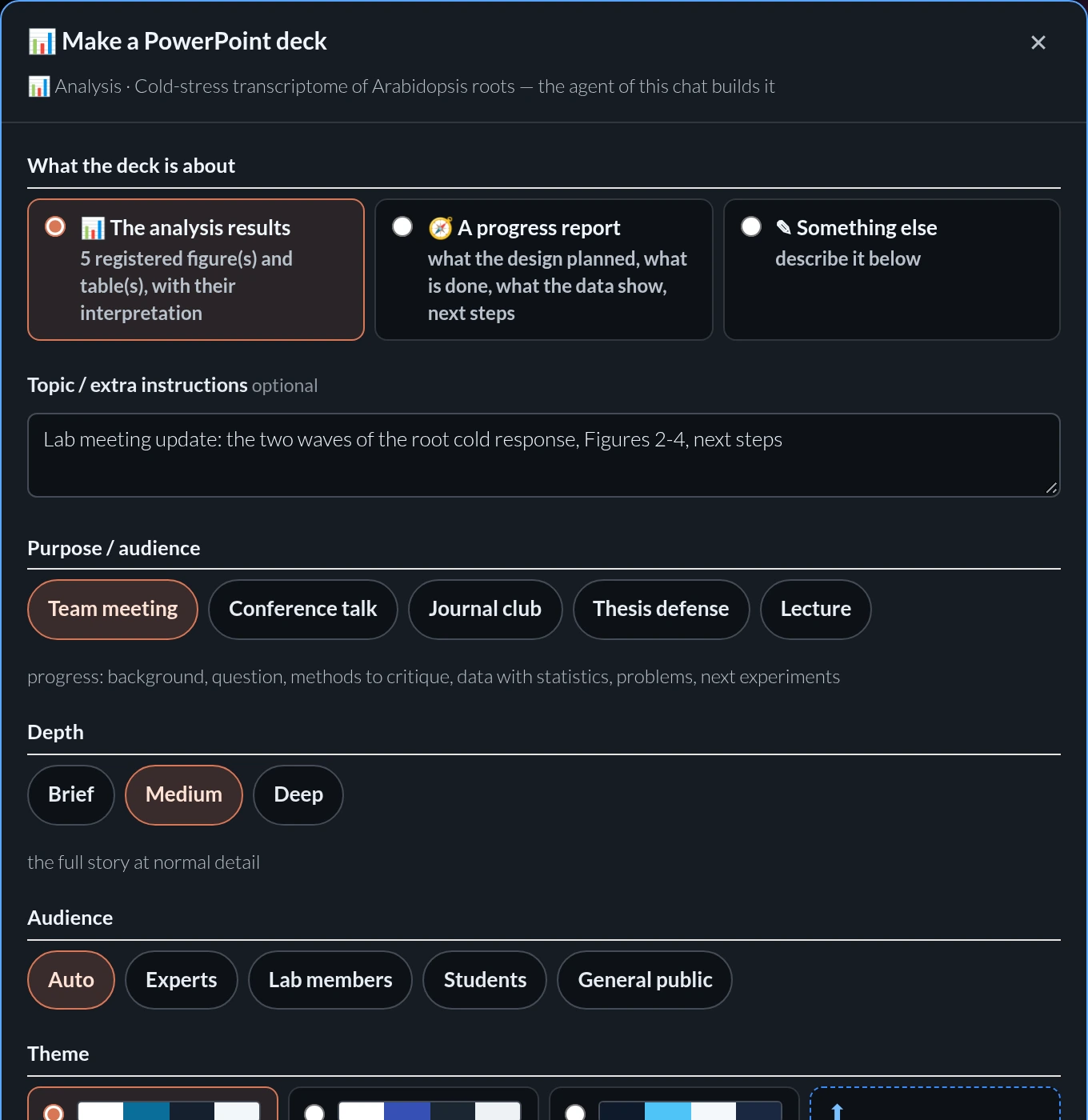
The deck options card: purpose Team meeting, Conference talk, Journal club, Thesis defense or Lecture; depth, audience, language and theme
Present

Slides and Word documents in the format you need

Make PPT / Make Word builds slides or a document from your figures.

  • Purpose, depth, audience, theme — or your own template
  • Report, summary, proposal, protocol, review — with PDF
  • Conference posters as one editable slide
Read

A lab library that reads with you

A shared library searched by meaning; answers cite pages.

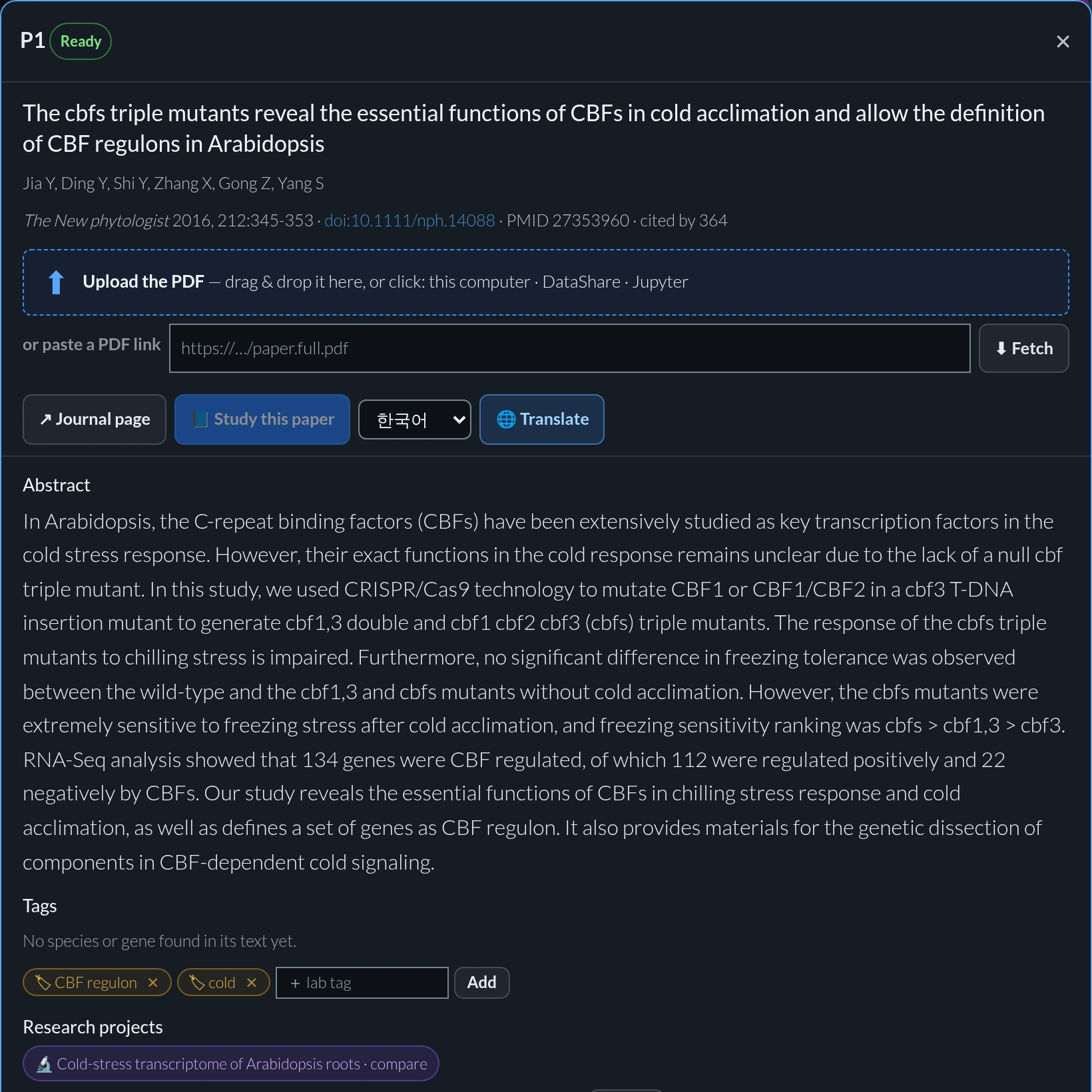
  • Study a paper at three depths, then a quiz
  • Study log, bookshelves, alerts
  • One-click abstract translation
A paper in the lab library with study, translate and tags
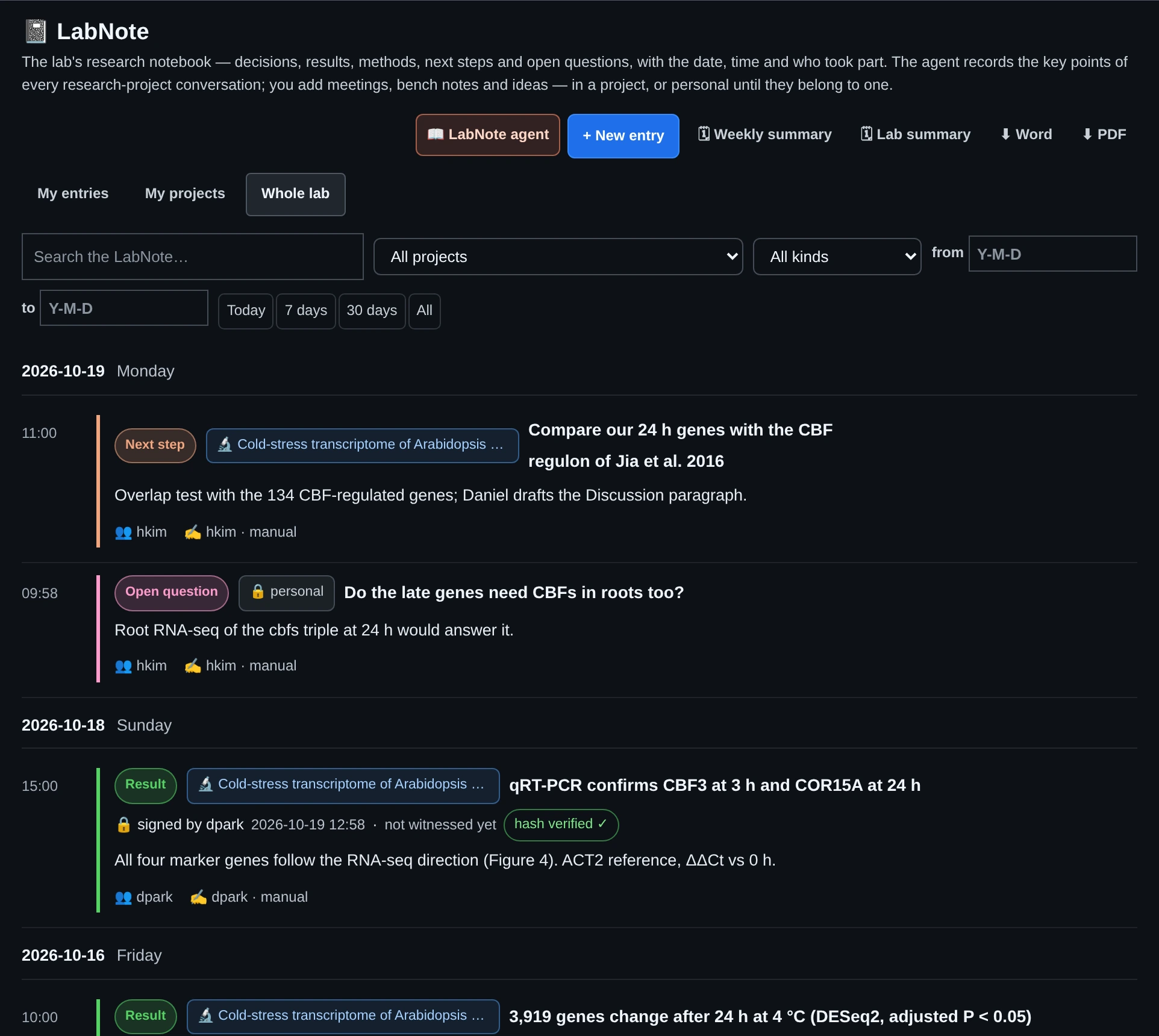
LabNote entries: a signed, hash-verified result, a deviation, a method and a decision
Record

A lab notebook that holds up

Agents and members record results, decisions, methods and deviations.

  • Sign and witness with a password; SHA-256 locked
  • Corrections stay visible as retractions
  • Templates, weekly and lab summaries
Collaborate

The whole lab in one place — even on your phone

Files, tasks, calendars and messages next to the research.

  • DataShare with previews and versions
  • Projects, calendars, messages
  • Mobile app with push notifications
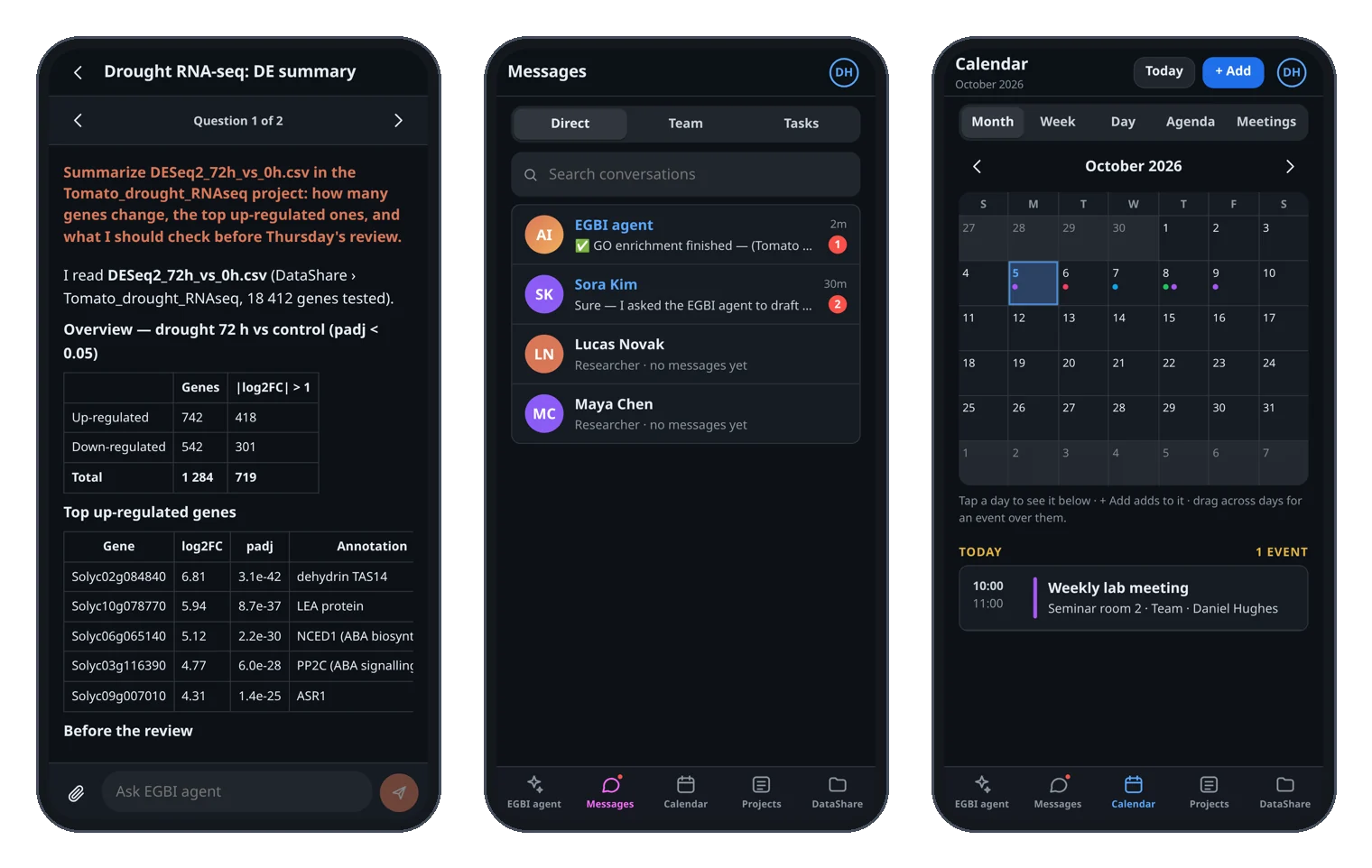
Mobile app: the AI agent, messages and the calendar on a phone
For the PI

Every project at a glance

Lab overview

Stage, next step, deadline and unsigned results of every project.

Deadlines

D-n on each card; due within 14 days moves to the top.

Weekly Lab summary

Key points, deviations and overdue steps from the LabNote.

Lab roles

PI, researcher and staff; personal notes stay their owner’s.

Funded grants

One project per Specific Aim; progress reports from their records.

Nothing signed for you

Agents never sign LabNote entries or mark papers published.

AI you choose

Claude or Codex — and it keeps working

Connect your own subscription, or the PI adds a lab key.

NewSwitch at a limit

At a usage limit, the other AI answers and hands back after the reset.

NewPoint at what you mean

Tick a figure, section, reference or file — the agent works on exactly that.

Checked, not just generated

A reviewer pass checks numbers and claims against tool output.

Your language

Ask in any language; manuscripts are written in American English.

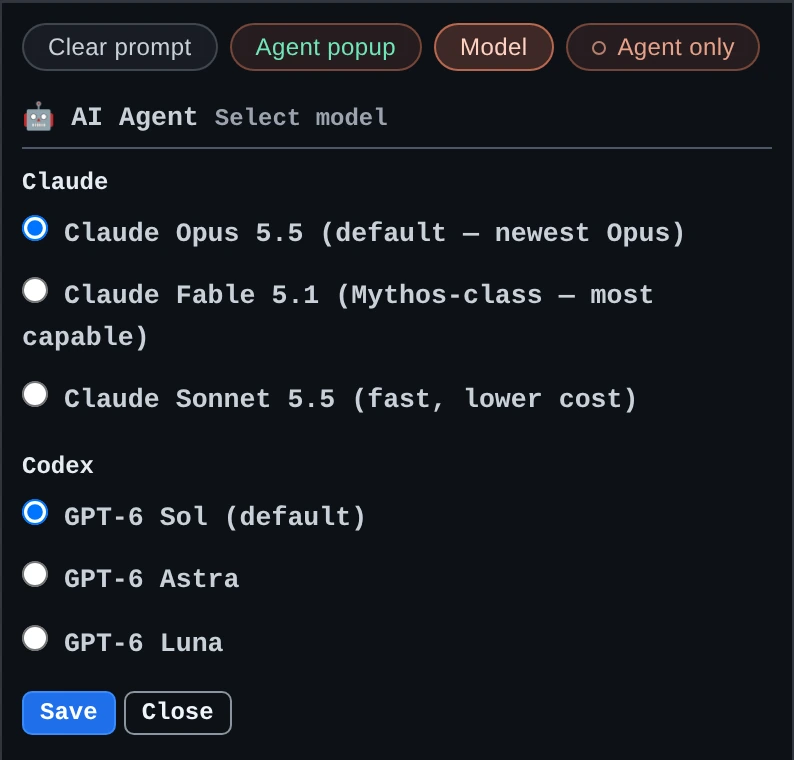
The model menu: Claude Opus, Fable and Sonnet, and the Codex GPT-6 models, each engine with its default

Pick the model for each engine; every chat can switch between Claude and Codex.

What you get

Sized for real research

4 agents
Design · Analysis · Writing · Papers
6 types
Article to grant and report
256 GB
RAM on 32 vCPU
4.3 TB
Storage per lab
Security

Your data stays your lab’s

Own server and accounts per lab — nothing shared.

Per-lab isolation

Dedicated server and database, role-based access.

Secure sign-in

Two-factor login, rate limits, idle sign-out, audit log.

Privacy & backups

Export and deletion requests (GDPR / PIPA), nightly backups.

What the AI sees

Only what a question needs, sent to the provider you connected.

How it works

Three steps to start

Tell us about your lab

Field, team size, what you want to see — we demo it.

We set up your server

Accounts and roles; setup and updates included.

Your team signs in

Browser, JupyterLab or phone — then ask the Design agent.

Flat-rate, all-inclusive

One predictable yearly price

The dedicated server, the platform software, updates, maintenance and email support in one annual rate — no per-hour metering and no surprise fees. AI usage runs on your own Claude / ChatGPT subscription or a lab API key, billed by that provider.

  • 32 vCPU · 256 GB RAM · 4.3 TB, Ubuntu 22.04 LTS
  • Research projects, Papers, LabNote and the AI agent
  • BLAST, sequence design tools, JBrowse2 and JupyterLab
  • DataShare, Project, calendar, messages and the mobile app
  • Managed setup and updates
FAQ

Frequently asked questions

Can I trust an analysis the agent ran?

Every figure the agent registers carries its statistics, Methods, an interpretation and a copy of the exact script and environment file (with its SHA-256), so anyone in the lab can see how it was made and rerun it. The agent shows its plan first, checks each run against acceptance criteria, asks before steps that could delete your data, and a reviewer pass checks the numbers in its answers against the tools’ output. You decide what goes into the paper.

Who owns our data, and where is it stored?

Your lab does. Each lab runs on its own dedicated server with its own database and accounts, and nothing is shared with other labs. Members can export their data, and account deletion requests (GDPR / PIPA) are handled on the platform.

Is our unpublished data sent to an AI company?

Only when someone asks the agent, and only the parts that question needs — sent to the provider you connected (Anthropic for Claude, OpenAI for Codex) under your own account or the lab key. Files, notebooks and records otherwise stay on your lab’s server.

Which AI does it use, and do we need our own subscription?

Claude (by Anthropic) or Codex (by OpenAI). Each member can connect a personal Claude subscription or ChatGPT account, or a PI can add a lab shared key. With both connected, each chat picks its engine and the other takes over when one reaches its usage limit.

Can the AI make up numbers or references?

The Writing agent takes numbers only from registered figures, their statistics and the LabNote; a missing analysis becomes a request to the Analysis agent instead of an invented value. References are verified by DOI / PMID, and anything it cannot verify is left as [REF] for you. A second reviewer pass checks each answer against the tools’ actual output.

What does it cost?

One yearly flat rate per lab covering the dedicated server, the software, updates, maintenance and email support. AI usage is billed separately by the provider you connect. Request a quote and we will send pricing for your team.

Can my students and postdocs use it, and what can they change?

Yes — every member gets an account with a PI, researcher or staff role. Everyone can read the lab’s research projects; owners, project members and PIs change them. Personal LabNote entries can be changed only by their owner.

Does it work in Korean?

The interface is in English. You can ask the agents in Korean or any language and they answer in yours; a translation view shows a manuscript in your language. Manuscripts are written in American English, and a Korean NRF proposal or a report can be written in Korean.

We already have servers or a campus cluster. Can we use them?

Yes. Your lab’s own servers, such as GPU machines, can be connected to Jupyter and switched to with one click; the agent can run there too. File Transfer copies data between your Jupyter and another server over SSH, with a key or just the server password.

Do we need IT staff or any installation?

No. Everything runs in the browser, in JupyterLab or in the phone app, and we set up, update and maintain the server.

See it with your own lab’s questions

Tell us what your lab works on — we will show you the platform on a demo and send specifications and pricing for your team.